
Command line argument is as a way to pass arguments in java while running java program.
- Sum of two integer numbers using command line arguments in java
- Sum of two double numbers using command line arguments in java
- Conversion from String to number using Wrapper class
- How to check length of command line argument in Addition of two numbers
- Exception handling with command line arguments while adding two numbers
1 Sum of two integer numbers using command line arguments in java
Steps to add two integer numbers is below
- Read command-line variable array args[0] and args[1].
- Convert it to integer value and store it in two variables.
- add both variables and store in another variable sum
- print the sum.
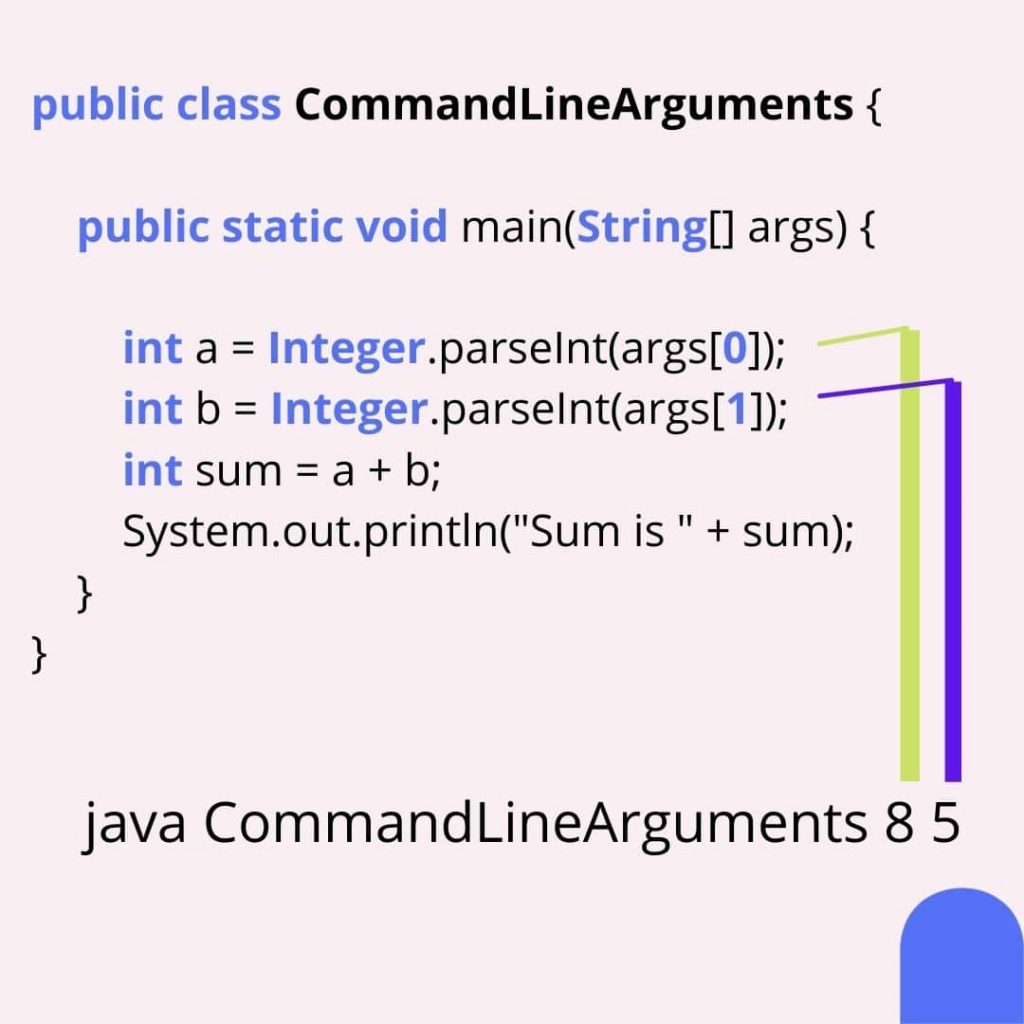
public class CommandLineArguments {
    public static void main(String[] args) {
        int a = Integer.parseInt(args[0]);
        int b = Integer.parseInt(args[1]);
        int sum = a + b;
        System.out.println("Sum is " + sum);
    }
}
Run above program from command prompt
>javac CommandLineArguments.java
>java CommandLineArguments 8 5
Output
Sum is 13
value 8 will pass to args[0] and value 5 will store in args[1].
As we know args is String array.
So to convert value from string we used Integer.parseInt() method.
Lets see another example
Read More Java Array
2 Sum of two double numbers using command line arguments in java
public class CommandLineArguments1 {

    public static void main(String[] args) {
        double a = Double.parseDouble(args[0]);
        double b = Double.parseDouble(args[1]);
        double sum = a + b;
        System.out.println("Sum is " + sum);

    }
}
Output
Sum is 13.0
Similar way we can add long, float values.
You have to know how to convert string to long and string to float and from string to other data types.
This is possible with the use of Java wrapper classes.
Each primitive data type has its own class that is known as wrapper class.
Wrapper class contain methods to convert value from string to specify object type.
Following Classes are sub class of Number class.
You can find details in the Number class also check all its sub-classes.

3 Conversion from String to number using Wrapper class
| Sr No | Convert from string to | Method |
|---|---|---|
| 1 | Byte | Byte.ParseByte() |
| 2 | Short | Short.valueOf() |
| 3 | Integer | Integer.shortInt() |
| 4 | Long | Long.parseLong() |
| 5 | Float | Float.parseFloat() |
| 6 | Double | Double.parseDouble() |
Above programs are very simple.
Lets assume a situation if use does not provide two values or provides values like alphabet then how to deal with it.
4 How to check length of command line argument in Addition of two numbers
In addition, we should check whether the user has provided two numbers or not.
Let’s check it.
public class CommandLineArguments1 {

    public static void main(String[] args) {
        if (args.length != 2) {
            System.out.println("Please provide two arguments");
            System.exit(0);
        }
        double a = Double.parseDouble(args[0]);
        double b = Double.parseDouble(args[1]);
        double sum = a + b;
        System.out.println("Sum is " + sum);

    }
}
Output
>javac CommandLineArguments1.java
Sum is 9.0

>java CommandLineArguments1
Please provide two arguments
args is string array so we can use the length property to check its length.
if (args.length != 2) then we are showing a message to the user that Please provide two arguments and terminate the execution.
5 Exception handling with command line arguments while adding two numbers
A. Handling ArrayIndexOutOfBoundsException
This exception occurs because we tried to access an array index that does not exist.
Read More
Exception Handling try catch finally blocks in Java
Exception Handling in Java: Hierarchy Example and Types
User-Defined (Custom) Exceptions in Java with Examples
If the user passed only one value and we access the first two values then this error can occur.
To avoid this we have already seen the above validation problem.
Lets again run our first program and pass only one value
public class CommandLineArgument {

    public static void main(String[] args) {
        int a = Integer.parseInt(args[0]);
        int b = Integer.parseInt(args[1]);
        int sum = a + b;
        System.out.println("Sum is " + sum);

    }
}
Output
>javac CommandLineArgument.java
>java CommandLineArgument 5

Exception in thread "main" java.lang.ArrayIndexOutOfBoundsException: Index 1 out of bounds for length 1
	at CommandLineArgument.main(CommandLineArgument.java:5)
Let’s see how to handle it with the exception
public class CommandLineArgument {

    public static void main(String[] args) {
        try{
            int a = Integer.parseInt(args[0]);
        int b = Integer.parseInt(args[1]);
        int sum = a + b;
        System.out.println("Sum is " + sum);
        }catch(ArrayIndexOutOfBoundsException e){
            System.out.println("Provide two values for addition");
        }
    }
}
Output
>javac CommandLineArgument.java
>java CommandLineArgument 5

Provide two values for addition
Result
B. Handling NumberFormatException in Command line addition of numbers
This exception occurs when the method is unable to convert string to a number type.
For example, a user gives “w” as input so the method is unable to convert it to a number.
Then this method will throw NumberFormatException.
Output
To resolve NumberFormatException again we will use try catch block.
public class CommandLineArgument { public static void main(String[] args) { try{ int a = Integer.parseInt(args[0]); int b = Integer.parseInt(args[1]); int sum = a + b; System.out.println("Sum is " + sum); }catch(NumberFormatException e){ System.out.println("Please Provide numbers as argument"); } } }Output
>javac CommandLineArgument.java >java CommandLineArgument w e Please Provide numbers as argument >javac CommandLineArgument.java >java CommandLineArgument w e Sum is 7C. Handling Multiple Exceptions from command line input
try can throw multiple exceptions to handle this we can create multiple catch blocks each for a specific exception.
We can also use one catch block to handle multiple exceptions.
public class CommandLineArgument { public static void main(String[] args) { try{ int a = Integer.parseInt(args[0]); int b = Integer.parseInt(args[1]); int sum = a + b; System.out.println("Sum is " + sum); }catch(ArrayIndexOutOfBoundsException e){ System.out.println("Provide two values for addition"); }catch(NumberFormatException e){ System.out.println("Please Provide numbers as argument"); } } }Read More